 Dusk VM
Run macOS in a virtual machine
A second Mac inside your Mac: somewhere to try software, test on a clean system, or make a change you can undo. Dusk VM downloads macOS from Apple and runs the installer for you.
What you need
- A Mac with Apple silicon (M1 or later) on macOS 14 Sonoma or newer. Intel Macs aren't supported.
- Dusk VM for Mac. The free trial has every feature and needs no sign-up and no card.
- Disk space for the machine. Its disk only takes the space macOS actually uses.
macOS guests run on Apple's own Virtualization framework. Apple's licence allows macOS virtual machines only on Apple hardware, on Apple's terms, so macOS guests are part of Dusk VM for Mac only.
From download to a second macOS
There is no image to hunt for. Dusk VM gets it from Apple.
-
Install Dusk VM
Download Dusk VM for Mac, open the disk image and drag the app to Applications.
-
Choose macOS
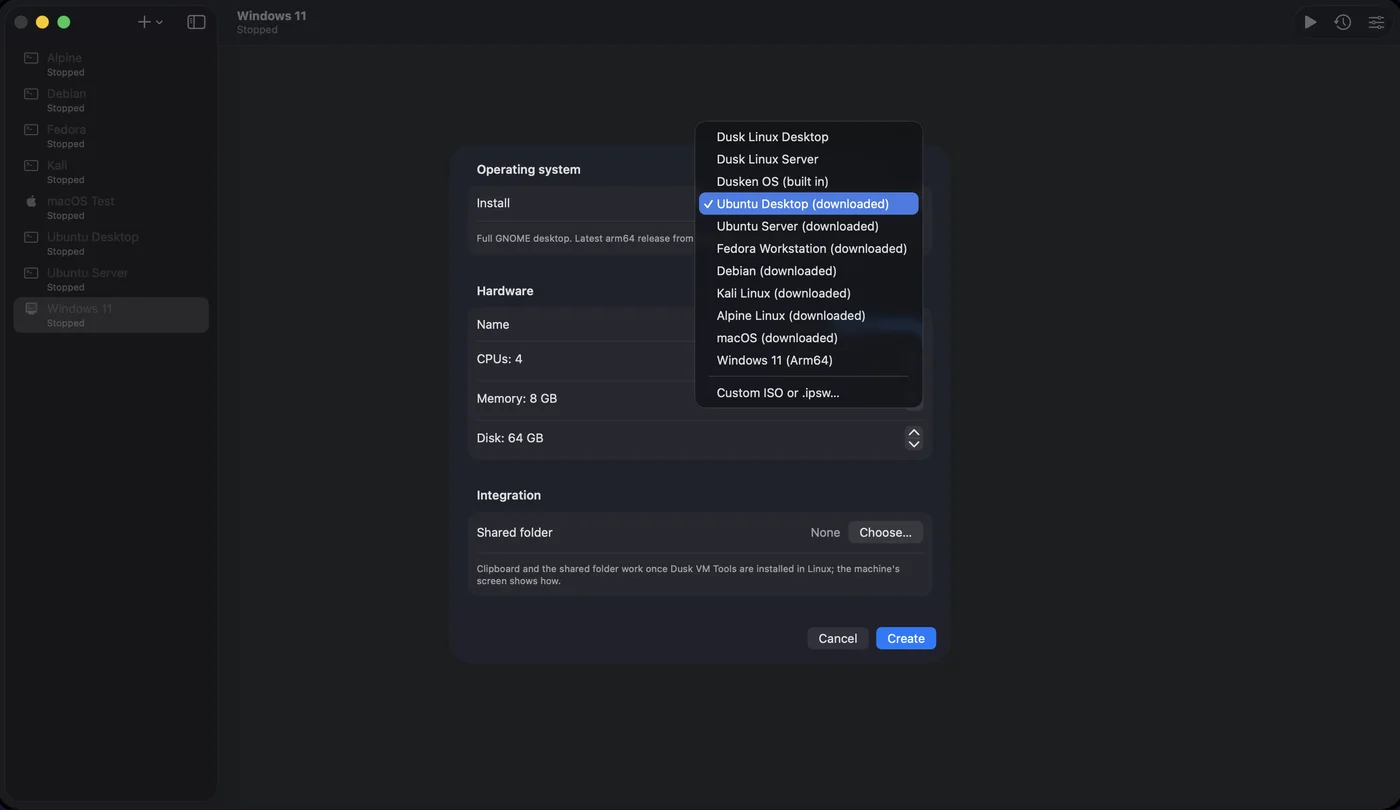
Open Dusk VM and press + for a new machine (the first time, Create Your First Virtual Machine). Choose macOS, then set its name, CPUs, memory, disk size and an optional shared folder.
-
Let Dusk VM install it
Dusk VM downloads Apple's latest supported restore image and runs the installer, with a progress bar. The image is kept, so your next macOS machine starts straight away.
What you get
- Shared folder: give the machine one of your folders, read-only if you prefer, and it appears in the guest automatically.
- Sound: the guest's audio plays through your Mac's speakers.
- Suspend and resume: suspend the machine and it resumes exactly where it left off, even after you restart your Mac.
- Snapshots: instant, and they share disk space until the disk changes. Taken while macOS runs, a snapshot keeps the memory too, so restoring it puts you back in that moment.
- Full screen: the guest fills the display, with the controls a move of the pointer away.
- Duplicate: Control-click a machine in the sidebar to make a copy with a fresh machine identity.
What it can't do yet
So you know before you start: the shared clipboard is for Windows and Linux guests for now, sound is output only with no microphone, there is no port forwarding for macOS guests, and snapshots are a list rather than a tree. The full list is under known limits, and the macOS guest help has more.
More guides
Good to know
Which version of macOS do I get?
Apple's latest supported restore image, chosen and downloaded for you. To use a particular restore image, choose Custom ISO or .ipsw… in New VM and pick an .ipsw file you already have.
Can I run macOS on a Windows PC with Dusk VM?
No. Apple's licence allows macOS virtual machines only on Apple hardware, so macOS guests are in Dusk VM for Mac only. Dusk VM for Windows runs Windows and Linux guests.
Does it work on Intel Macs?
No. Dusk VM needs a Mac with Apple silicon (M1 or later) on macOS 14 Sonoma or newer.
Can I go back if something breaks?
Yes. Take a snapshot first, then restore it. A snapshot taken while the machine runs includes its memory, so you return to exactly that moment. Snapshots live in the machine's folder, so they aren't a backup: copy important machines somewhere else too.
What does Dusk VM cost?
The trial is free, with every feature, no sign-up and no card. After that, buy Standard once or subscribe to Pro: see pricing.
Try a second macOS, free.
Every feature, no sign-up, no card. When you're ready, buy it once or subscribe.